


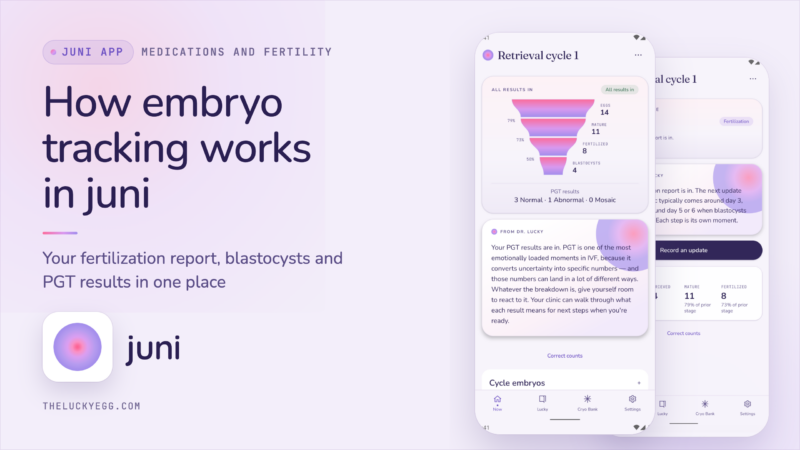
juni tracks your eggs from retrieval day until you have frozen embryos. You enter the numbers from your lab (eggs retrieved, mature, fertilized, blastocysts) and each embryo gets its own record with its day, grade and PGT result.
I’m Dr. Lucky Sekhon, a double board-certified Reproductive Endocrinologist and Infertility specialist here in New York City, author of The Lucky Egg: Understanding Your Fertility and How to Get Pregnant Now, and the writer of The Lucky Egg Drop newsletter. I’ve been through multiple IVF cycles myself. And I’m building juni, a comprehensive IVF companion app. Here’s how its embryo tracking works, and why I wanted all these numbers in one place.
Your embryo results arrive in stages over two to three weeks
The news doesn’t come all in one go after your retrieval. We check for fertilization the following day, about 18 hours later. The embryos that keep developing become blastocysts on day 5, 6 or 7. If you’re doing PGT, in my experience it’s typically another 1.5 to 2 weeks for results. I break down the whole sequence in my IVF timeline.
Each of those updates comes with numbers. I’ve seen patients write them down in a notebook, keep screenshots of their patient portal, or use whatever piece of paper was around. Then months later we’re working out a transfer plan, and I want to know the day of each embryo, the grade and the result of the test.
Watch the whole thing in less than 2 minutes:
Your retrieval count starts the record
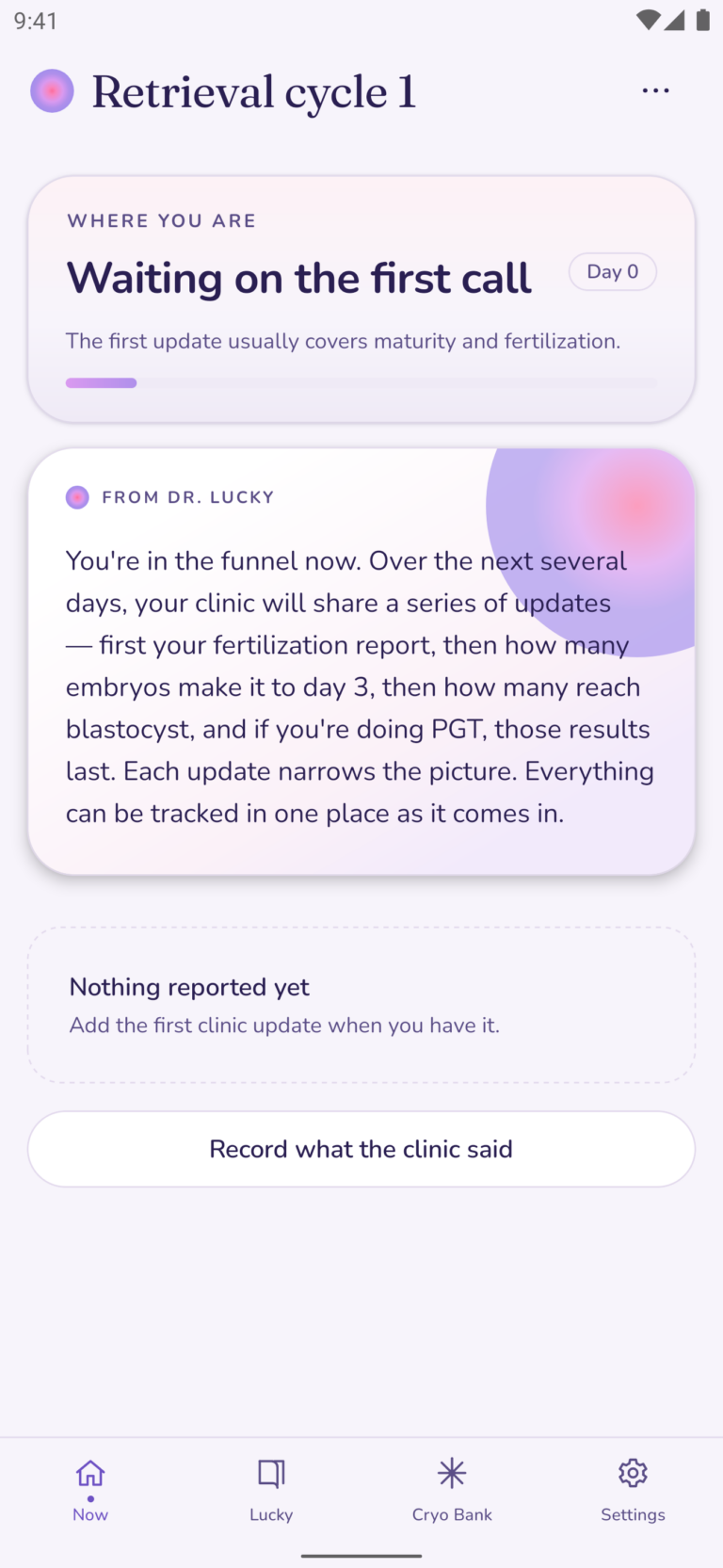
On your retrieval day, tap I had my retrieval and put in how many eggs were retrieved. The retrieval time is filled in automatically from your trigger shot. From that point forward, the Now tab shows the funnel for this cycle, starting at Waiting on the first call.
If you start using juni after your retrieval, put in your retrieval date first and add the number of eggs when you know it.
The fertilization report takes two numbers
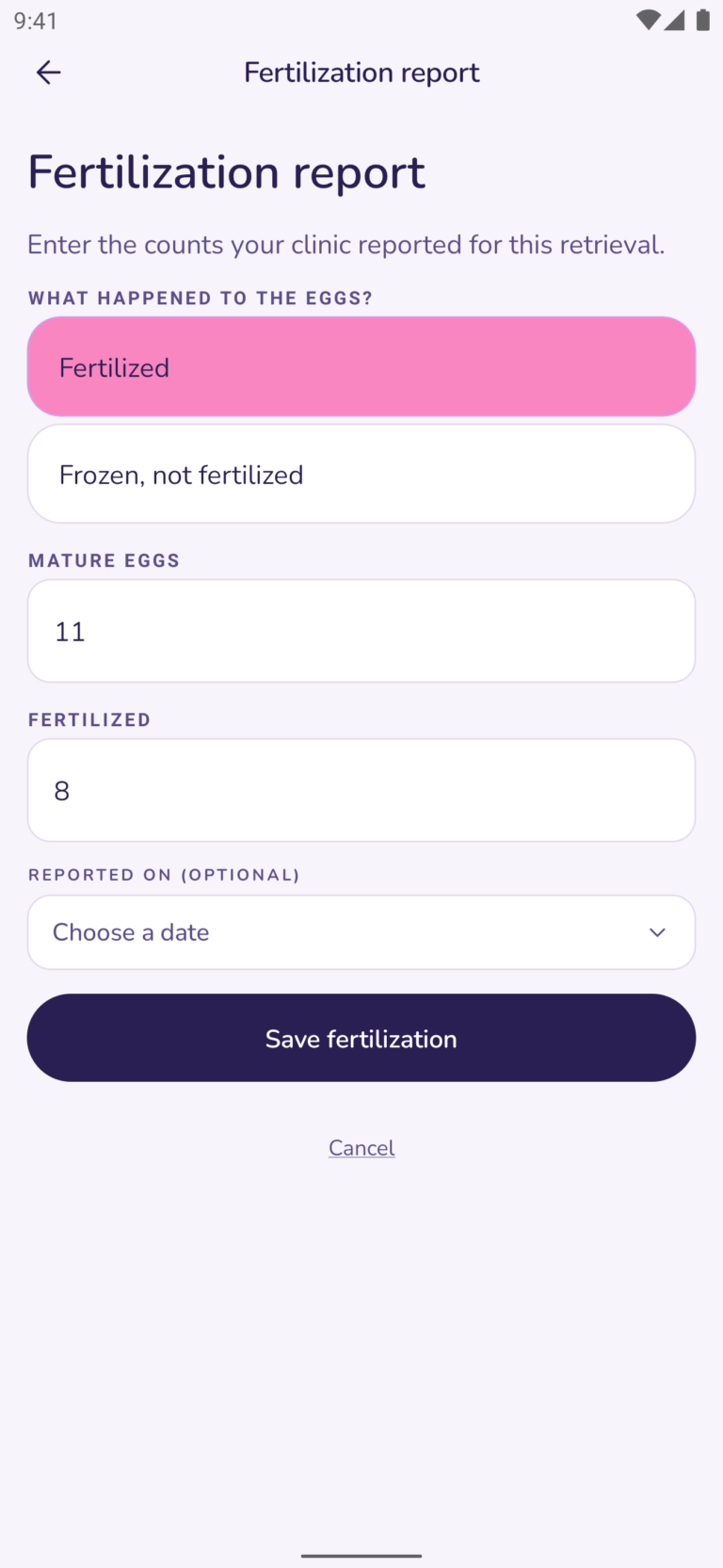
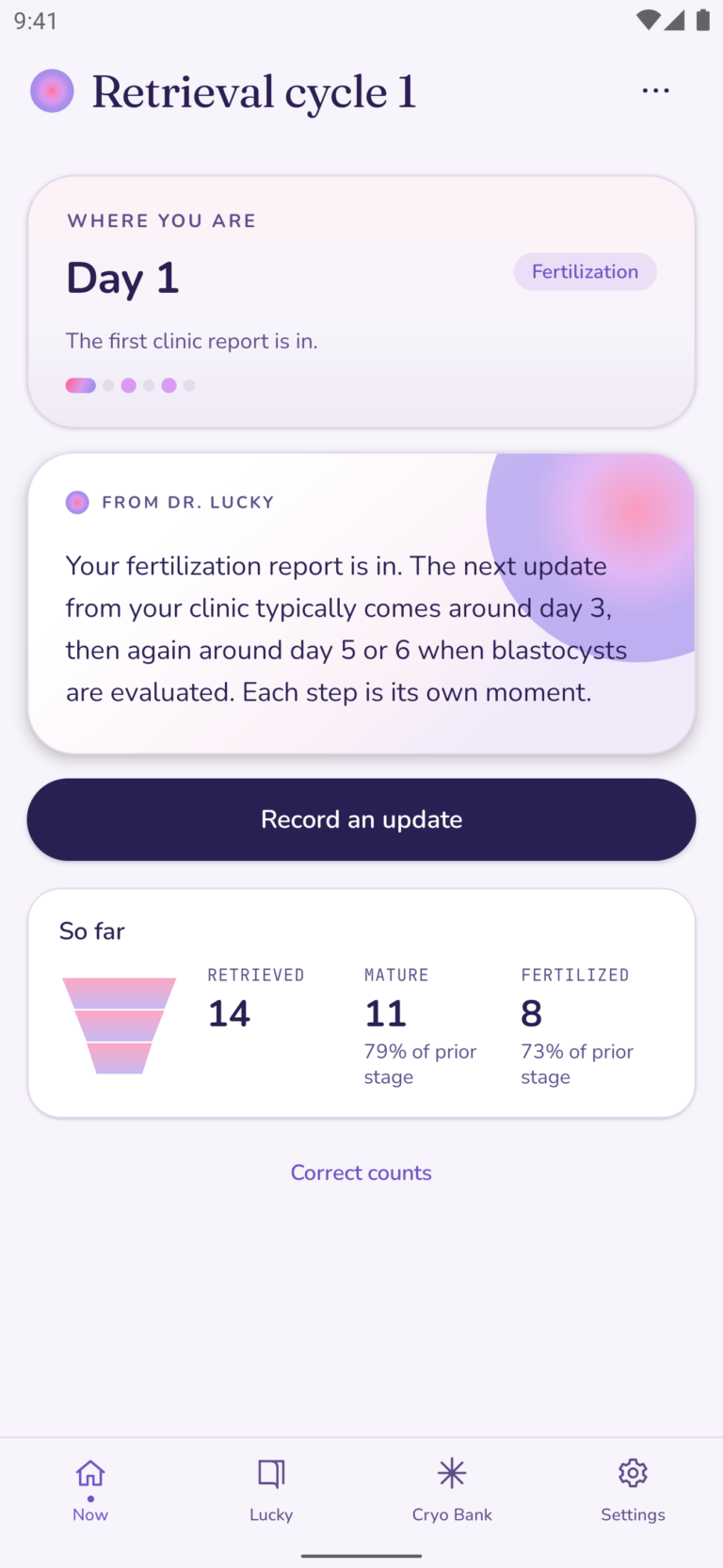
When you get a call from the lab, tap Record what the clinic said and type in how many eggs were mature and how many fertilized. juni shows each number against the one before it. Say you had 14 eggs, of which 11 were mature (79%) and 8 of those 11 fertilized (73%).

This is where the numbers go down, and that’s expected: not all eggs are mature, and not all of the mature eggs will fertilize.
If you are freezing eggs, not making embryos, select Frozen, not fertilized and type in the number frozen. This will save the cycle to your history as an egg freezing cycle.
Each blastocyst gets its own day and grade
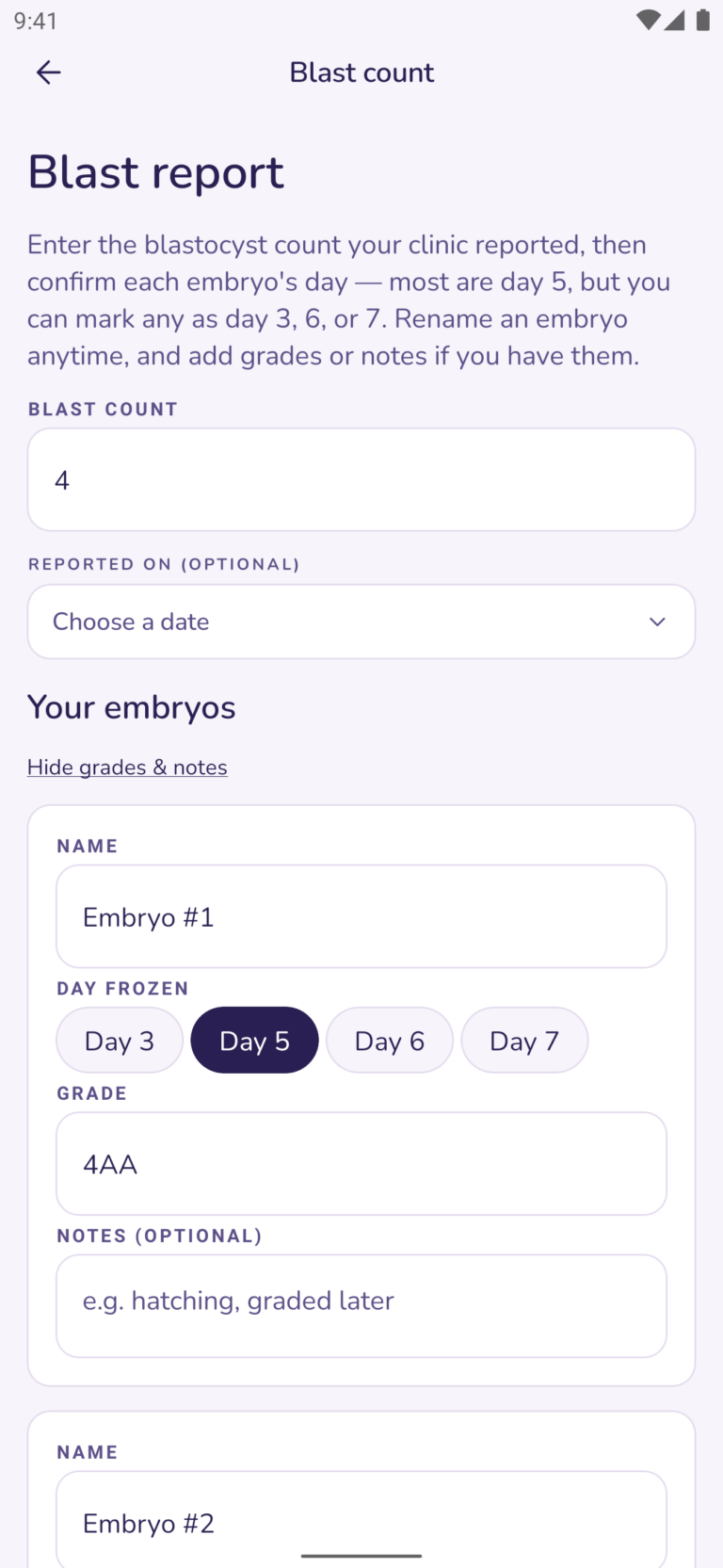
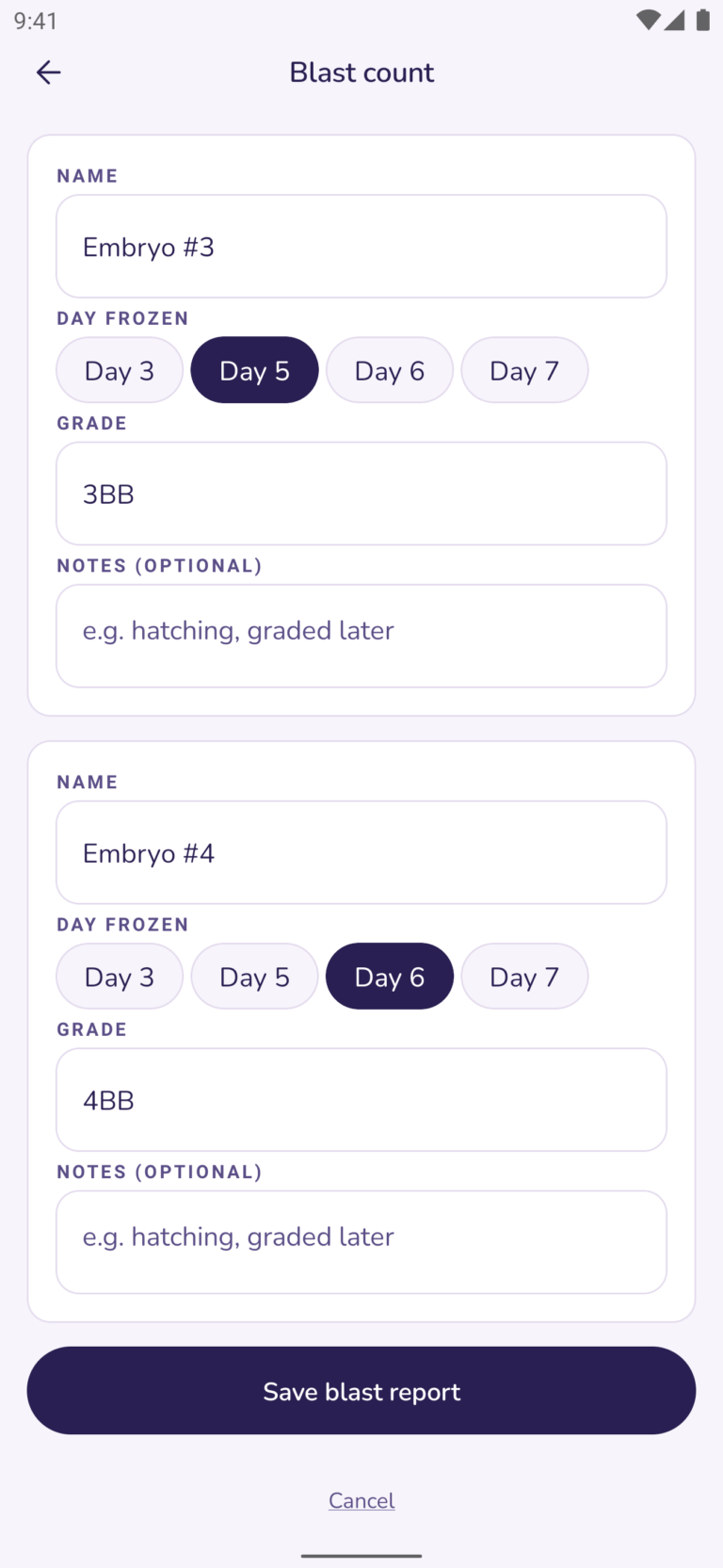
Once you know how many embryos made it to blastocyst stage, tap Record an update and type the number. You’ll see a card for each embryo, called Embryo #1, Embryo #2 and so on, and you can rename them. There are two things to enter on each card:
The day it reached blastocyst. Day 5 is preselected, and you can switch any embryo to day 3, 6 or 7.
The grade, exactly as your clinic wrote it, such as 4AB. It’s under Add grades & notes, so you can skip it if the grades come later.
Log both. The grade is how your embryo looked under the microscope. The day tells you how fast it got to that point. When I’m comparing embryos, I ask for the day each one reached the blastocyst stage. My embryo grading chart explains what the number and the two letters mean.
PGT results go on each embryo
When your results come back, tap Enter PGT results and pick one for each embryo: Normal, Abnormal, Mosaic or Untested. If you didn’t do PGT, mark each embryo Untested.
Grading is how the embryo looks. PGT counts its chromosomes. They’re two different pieces of information, and juni keeps both on the same record.
Your whole cycle sits in one view
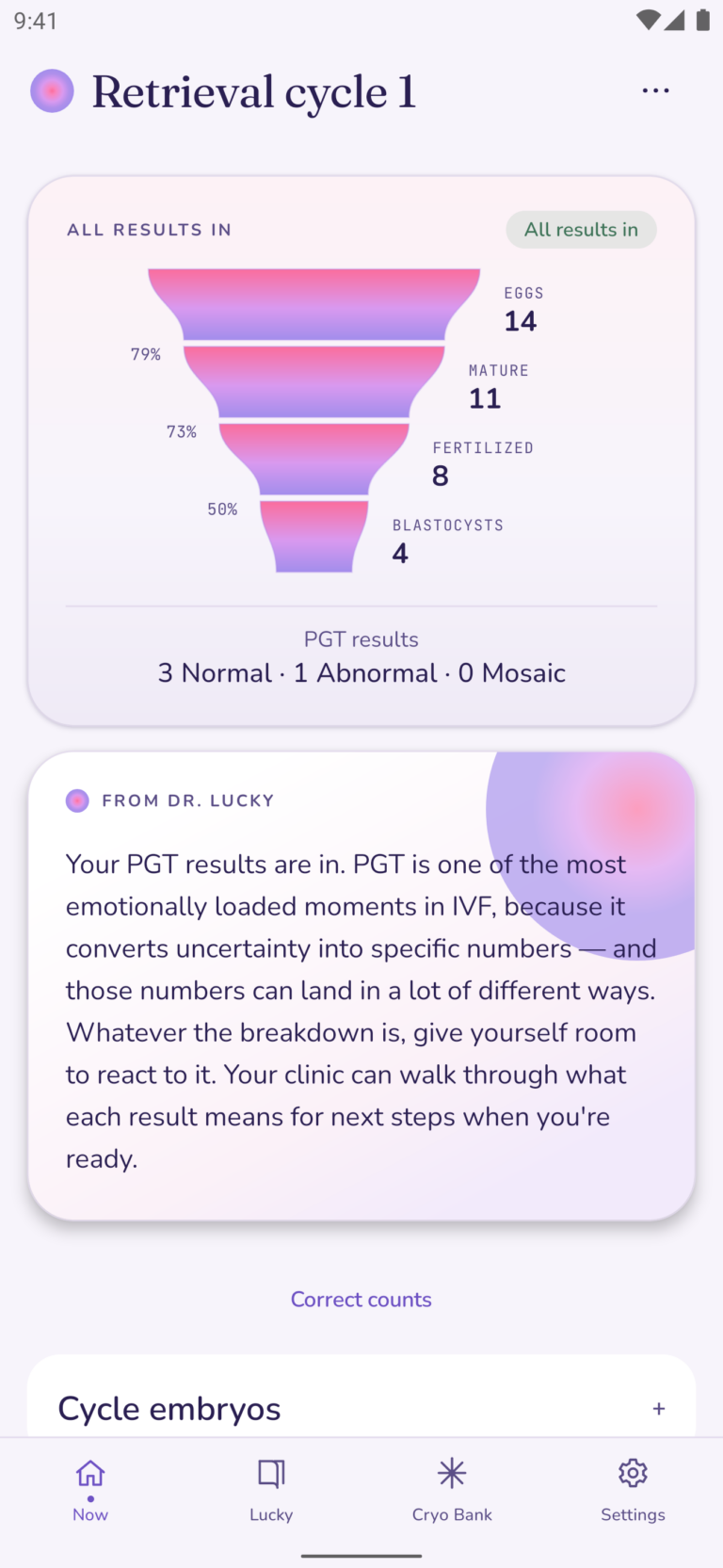
Once your reports are in, the cycle appears in the Now tab as a funnel. With the same example numbers:
| Stage | Count | Of the stage before |
|---|---|---|
| Eggs retrieved | 14 | |
| Mature | 11 | 79% |
| Fertilized | 8 | 73% |
| Blastocysts | 4 | 50% |
Below the funnel is the PGT line: 3 Normal · 1 Abnormal · 0 Mosaic. juni does the math and stops there. What the numbers mean for you is a conversation with your clinic.
Every embryo has a record in your Cryo Bank
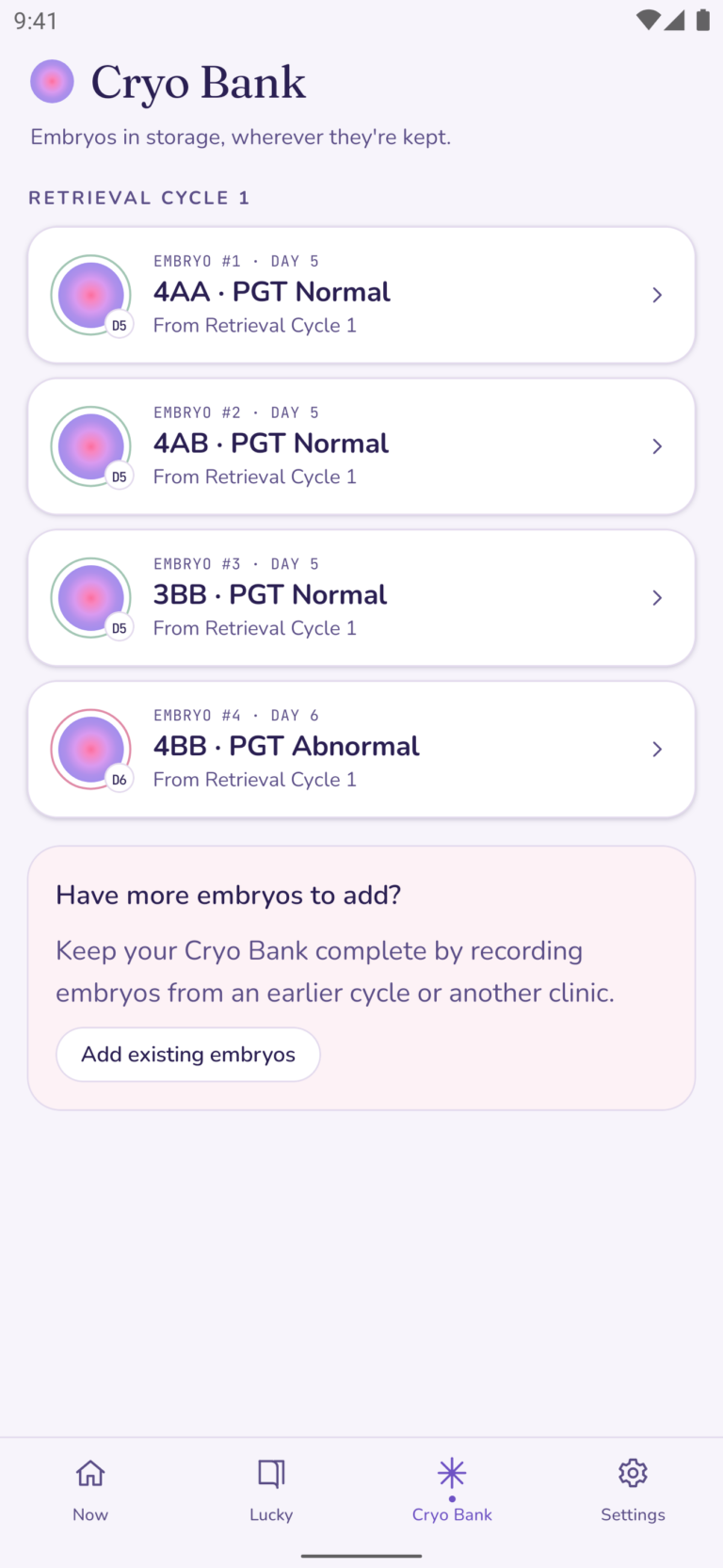
Each blastocyst you log gets its own entry in the Cryo Bank tab, with its day, grade, PGT result, freeze date and cycle. A second retrieval gets its own heading, so embryos from different cycles stay separate.
If you have any embryos from before you were using juni or at another clinic, you can add them to the same list with Add existing embryos. When you’re ready to plan a transfer, you choose the embryo from this list.
When the lab corrects a number, you can too
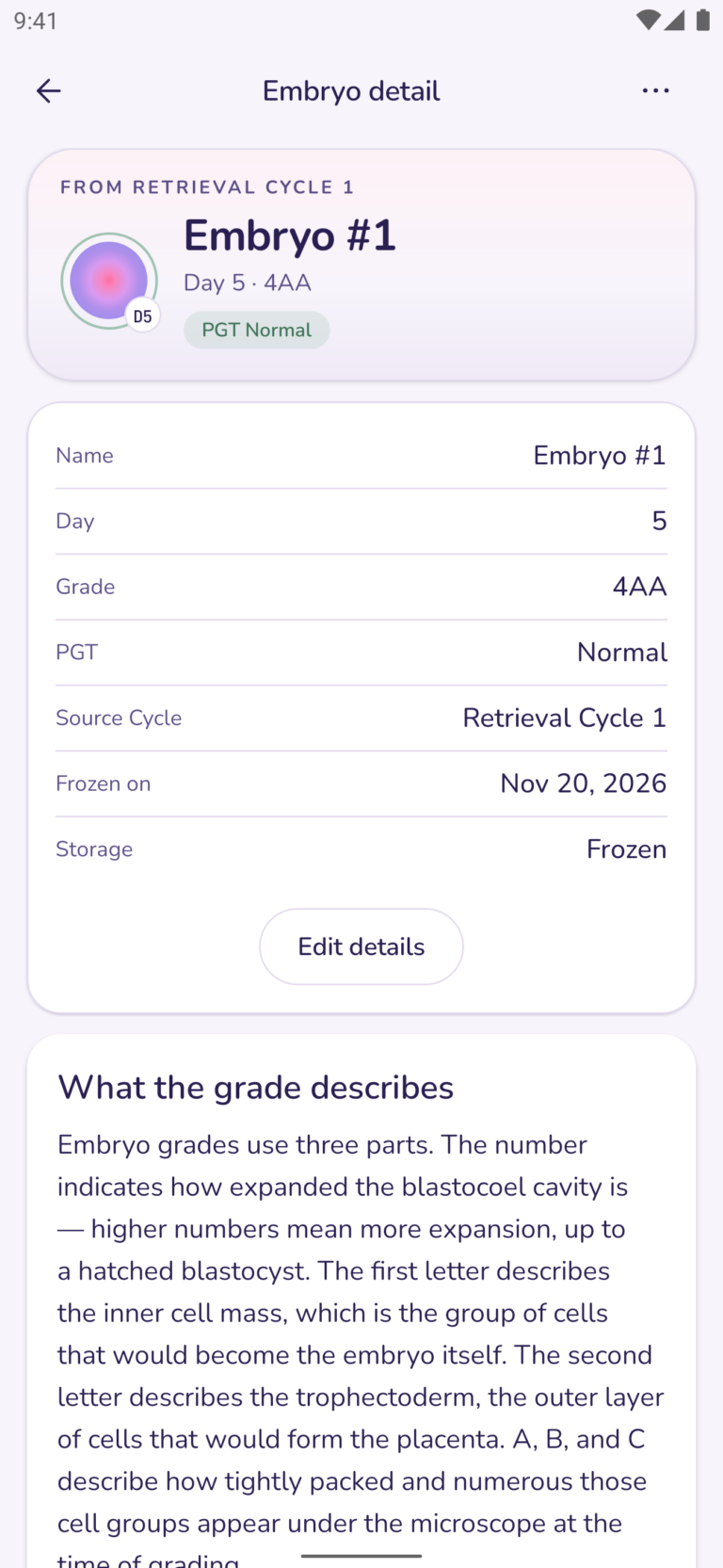
Reports do get updated. Correct counts, under the funnel, lets you change any number you entered for the cycle. Edit details on an embryo lets you change its day, grade, PGT result or freeze date.
Everything stays on your phone
All your embryo data is saved on your phone only. There’s no account and no server copy. Your clinic’s embryology report is still your source of truth.
The Bottom Line
After retrieval you get a fertilization report, a count of blastocysts with their grades and, if you’re testing, PGT results. These all come in over 2 to 3 weeks. When you’re scheduling a transfer, you’ll be asked for that info again. juni keeps the counts, each embryo’s day and grade, and every result in one place, in the order they came in.
To learn more check out my embryo grading chart, my egg retrieval recovery guide, how medication tracking works in juni and why I’m building juni. Or follow me on Instagram @lucky.sekhon.