


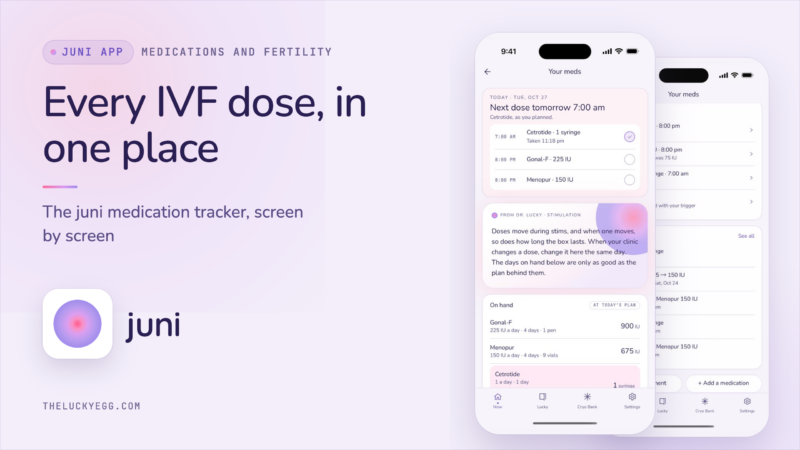
The point of an IVF medication organizer is to help you remember what meds your clinic gave you and how much and what you took. Not to make medical decisions for you. That’s what the medication tracker on juni does.
I’m Dr. Lucky Sekhon, double board-certified Reproductive Endocrinologist and Infertility specialist in New York City, author of The Lucky Egg: Understanding Your Fertility and How to Get Pregnant Now, The Lucky Egg Drop newsletter writer. And I have been through multiple IVF cycles myself. And I’m the founder of juni, a comprehensive IVF companion app.
The problem: your IVF medication plan keeps changing
At the time of stim, you’re likely taking 2-3 different injectables at different times of day. For example morning antagonist (Cetrotide) and evening Gonal-F and Menopur. I always tell patients to make sure that your stim injections are within the same 2-3 hour period each day. The trigger injection MUST occur at the time we give it to you.
Then, our plan changes based on how your ovaries are reacting. That is why we monitor you with ultrasound and bloodwork. Let’s say you are on 75 IU of Menopur. Your nurse tells you on day 6 to increase to 150 IU. Your 10 days of Menopur in the fridge is now 5 days. Most patients don’t realize this until they are drawing up that shot at 9 pm. And the box is not as full as they expected.
So when clinics estimate your drug usage, they do that at the beginning. We don’t want you to over-buy. The goal is to identify the problem early enough so you can address it with your clinic. Not at bedtime.
juni, in under 2 minutes.
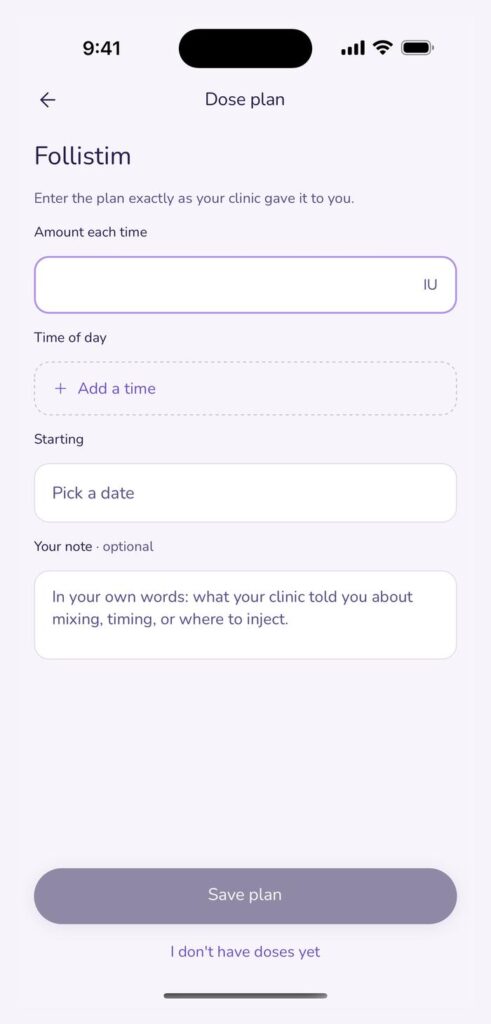
You enter your clinic’s plan, and juni never suggests a dose
Log your delivery as it comes (Gonal-F pens, 75 IU Menopur vials, Cetrotide syringes, your trigger kit, etc) exactly as it’s printed on the box. juni adds it all up. Then input what each medication is to be taken – how much and when (what time or times of day) to take it – starting date, exactly as you were given it from your clinic. No premade anything. No protocol templates. Your clinic tells you the dose. The app records it.
One tap logs each dose, and reminders come at your times
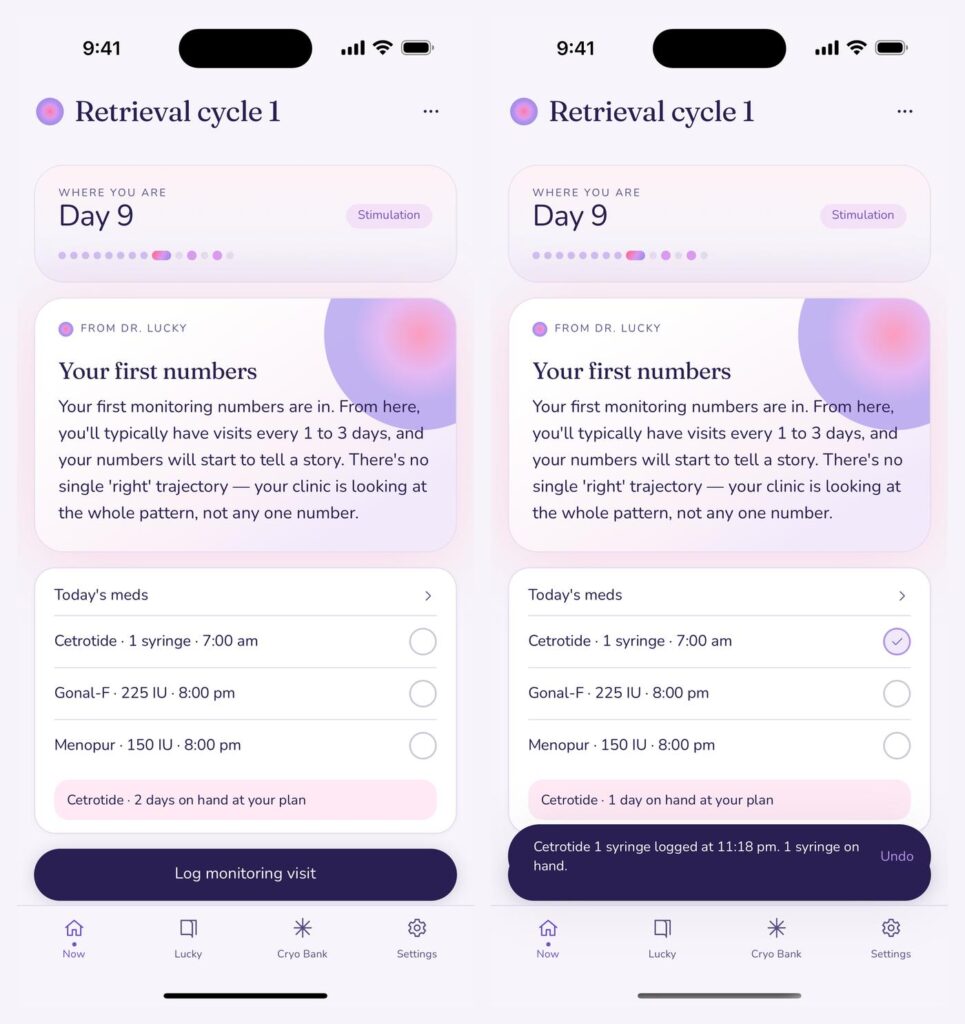
Your home screen presents your doses of today in time order. You tap the circle to indicate that you’ve taken a dose, and juni registers this and deducts it from available stock. Undo, if you tapped it by mistake. Multiple doses that are due at the same time will come in one reminder, and you can click them as taken in the notification to mark them as taken. The reminder is only sent out once. If you do nothing about it, it won’t bug you anymore.
Days on hand tell you when to call your clinic
This is the part I was most interested in. juni divides what you have on hand by today’s plan:
| Today’s Menopur plan | On hand | Days of supply |
|---|---|---|
| 75 IU daily | 750 IU | 10 days |
| 150 IU daily | 750 IU | 5 days |
| 150 IU daily | 300 IU | 2 days |
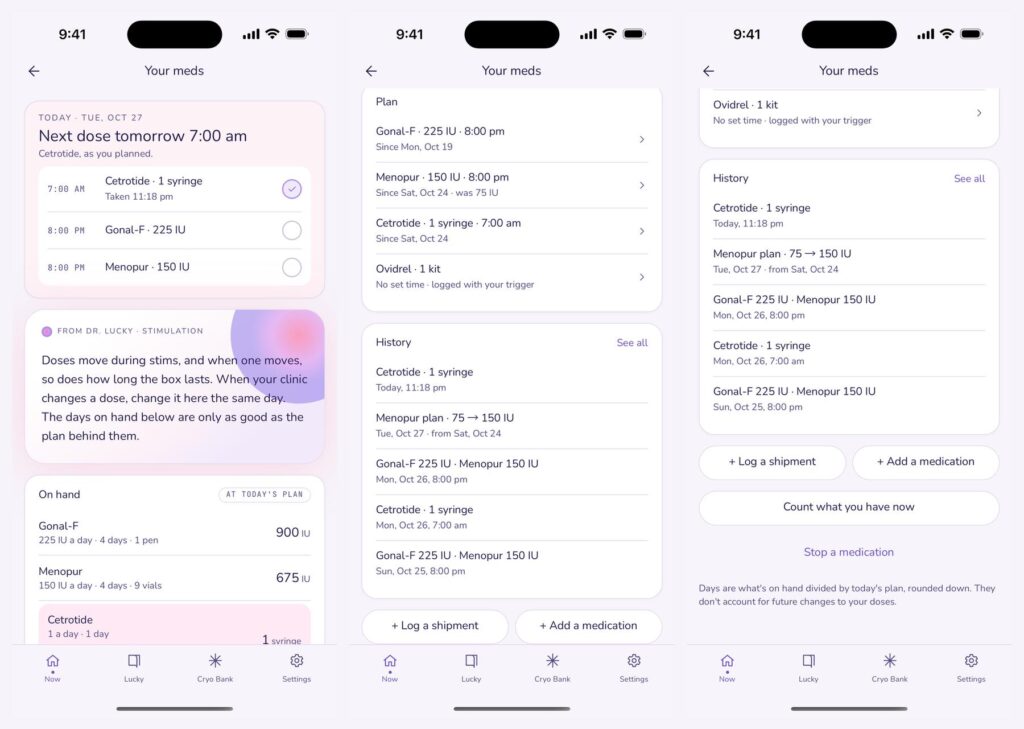
Any drugs that will fall below 3 days will be in a rose colored row with a Worth a word with your clinic about the next shipment line and a heads up warning at 10 am. juni does not place any orders or make assumptions about the future dosage changes. It simply gives you the count to take with you to your team, while there is still time to do something about it.
When your nurse changes a dose, the history keeps both
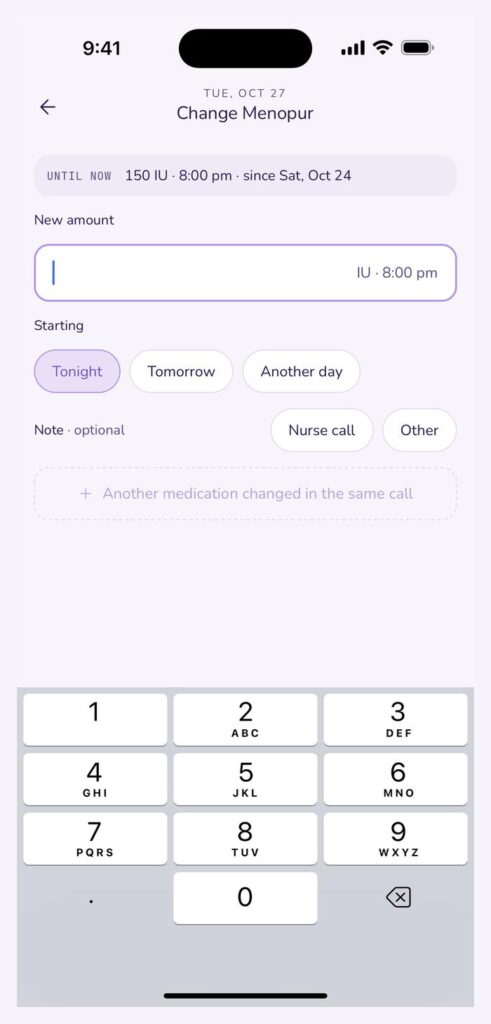
Back to the day-6 call. On the Menopur plan hit change. Type in 150 IU, select the start time. The old plan is recorded in your history. The days of supply will recalculate automatically. The reminder for tonight will be updated to the new dose. If you were changing two meds during the same call, you can move on to the second.
Trigger night keeps your clinic’s instructions in front of you
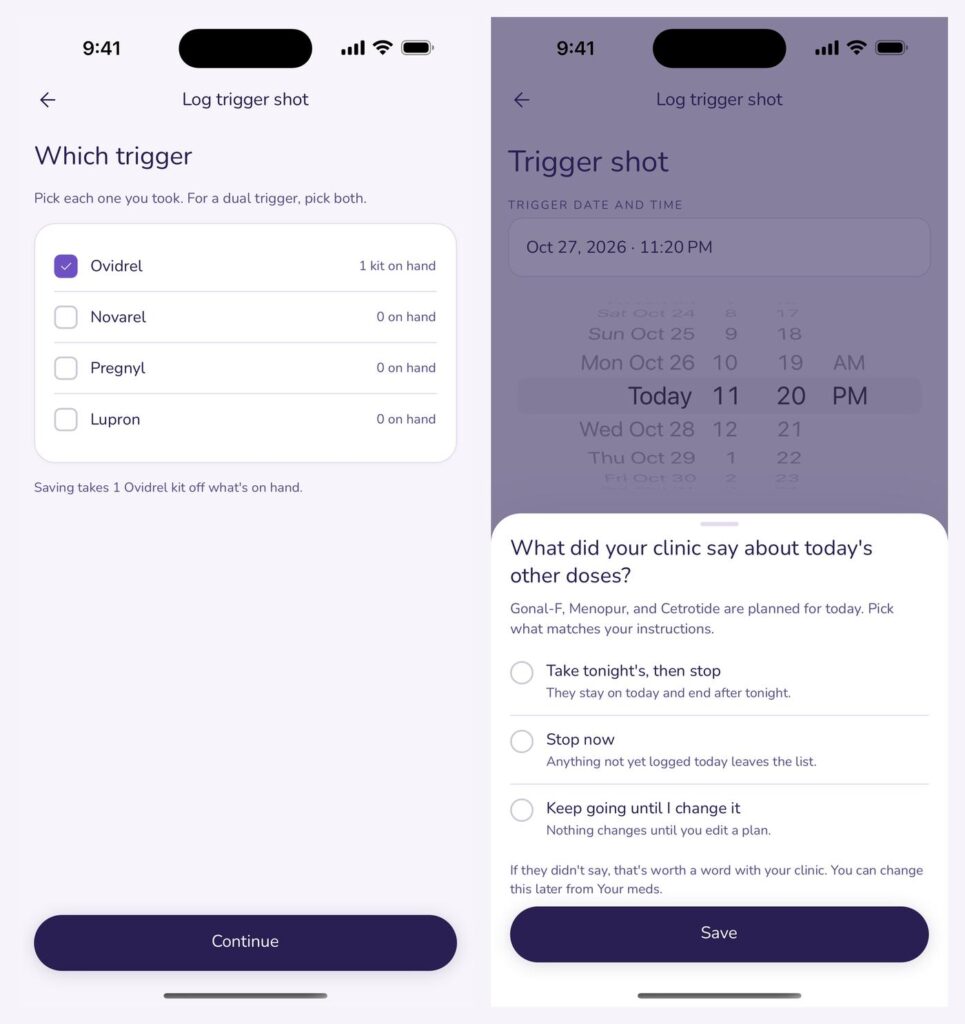
Retrieval is 34 to 36 hours from trigger so this is one you can’t be late with. When you log it, juni wants to know which trigger you took (both if you took a dual trigger) and what your clinic tells you to do for other doses that day: tonight’s and stop, stop immediately, or keep taking it. There’s no pre-selection; juni will not stop a medication.
Everything stays on your phone
All your medication data is stored only locally on your phone and isn’t uploaded to a server. This means there is no partner view or export. You still need the written instructions from your clinic as your main reference.
The Bottom Line
The hardest part of IVF meds isn’t so much about the injection itself. It’s about remembering to follow your plan, which may be different day to day. juni tracks your clinic’s plan. It tracks every dose. It notifies you when it’s time. It warns you if the dose is about to make you run out early. So you can get to your clinic early rather than finding out at 9 pm.
Learn more about the effects of the medications in my IVF medications and protocols guide, IVF timeline from start to finish or egg retrieval recovery guides. Or check me out on Instagram @lucky.sekhon.