

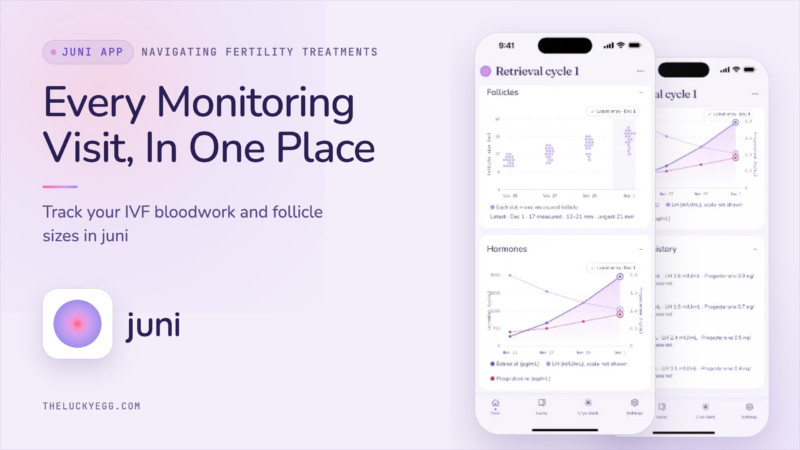
During your IVF stims, juni keeps track of every monitoring visit. After each visit, you put in the numbers your clinic gave you (estradiol, LH, progesterone and your follicle sizes for each ovary) and juni charts each visit beside the one before it.
I’m Dr. Lucky Sekhon, a double board-certified Reproductive Endocrinologist and Infertility specialist here in New York City, author of The Lucky Egg: Understanding Your Fertility and How to Get Pregnant Now and the writer of The Lucky Egg Drop newsletter. I’ve had several IVF cycles myself. I am also the creator of juni, a comprehensive IVF companion app. This is how its monitoring tracking works, and why I wanted to have all the visits in one place.
Monitoring visits come every one to three days during stims
When you are on stims you go into the clinic every 1 to 3 days for a blood draw and an ultrasound. We are watching the growth of your follicles and your hormone response to time your trigger shot. My IVF timeline shows where this part of the process falls.
At each visit you get numbers: your estradiol level, usually LH and progesterone, and a list of the follicle sizes in each ovary. Most patients have those results delivered to them over the phone or in a portal. By your next visit it can be hard to find your last set of results. After 5 or 6 visits, you’re going through voicemails and screenshots trying to figure out what changed.
See it all in under 2 minutes:
Monitoring lives on your Now tab while you’re in stims
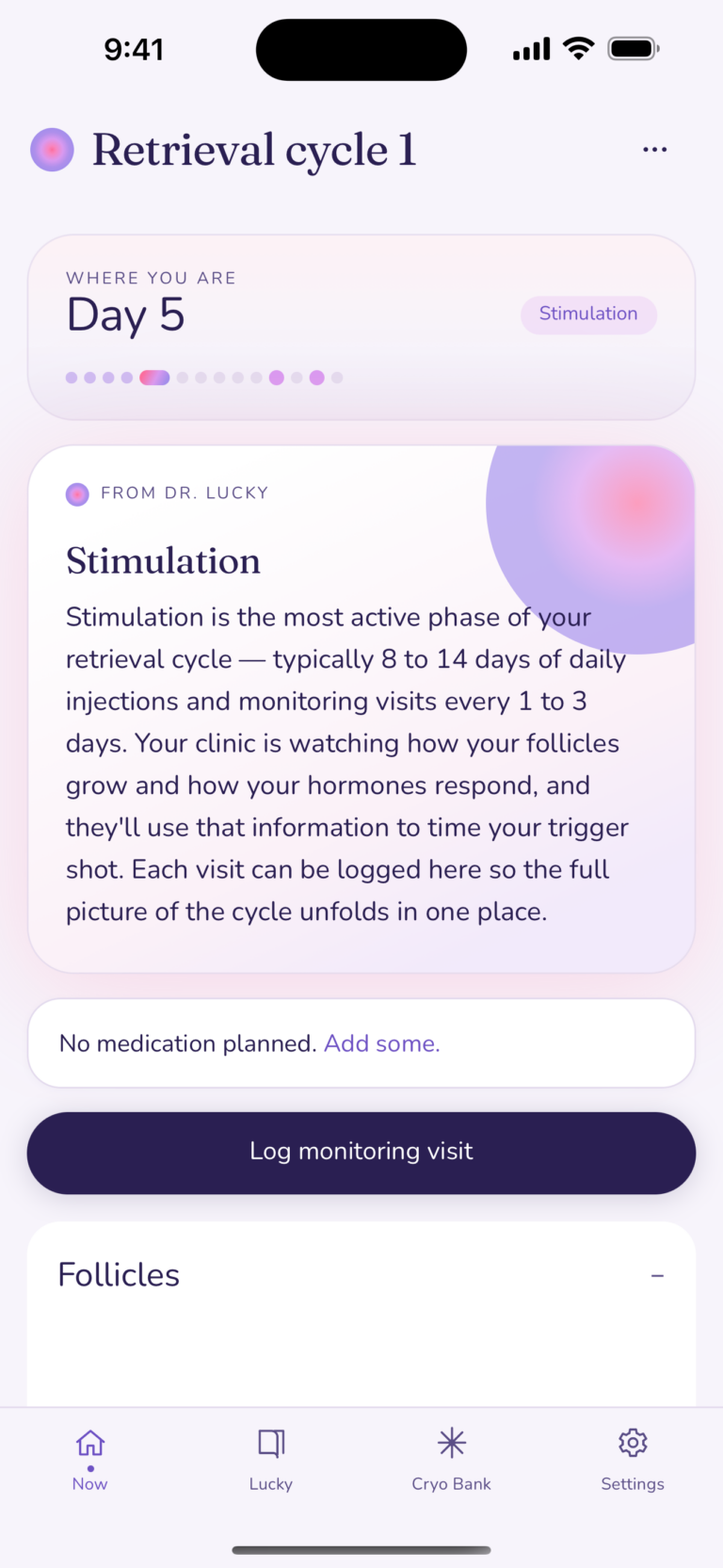
Begin a retrieval cycle in juni, select Already in stimulation and enter the date you began injecting. From that date until your retrieval, the Now tab opens straight to your stimulation dashboard. It shows the day of stims that you are on, based on that start date. The main button there is Log monitoring visit.
Each visit takes a date and whatever numbers your clinic gave you
Tap Log monitoring visit. The date is filled in with today’s, and it’s the only field you have to complete. Then you have estradiol in pg/mL, LH in mIU/mL and progesterone in ng/mL. Put in what you received and leave the others blank. You can have bloodwork with no scan that day, or a scan with no bloodwork. There’s also a note field for anything you want to remember from the visit.
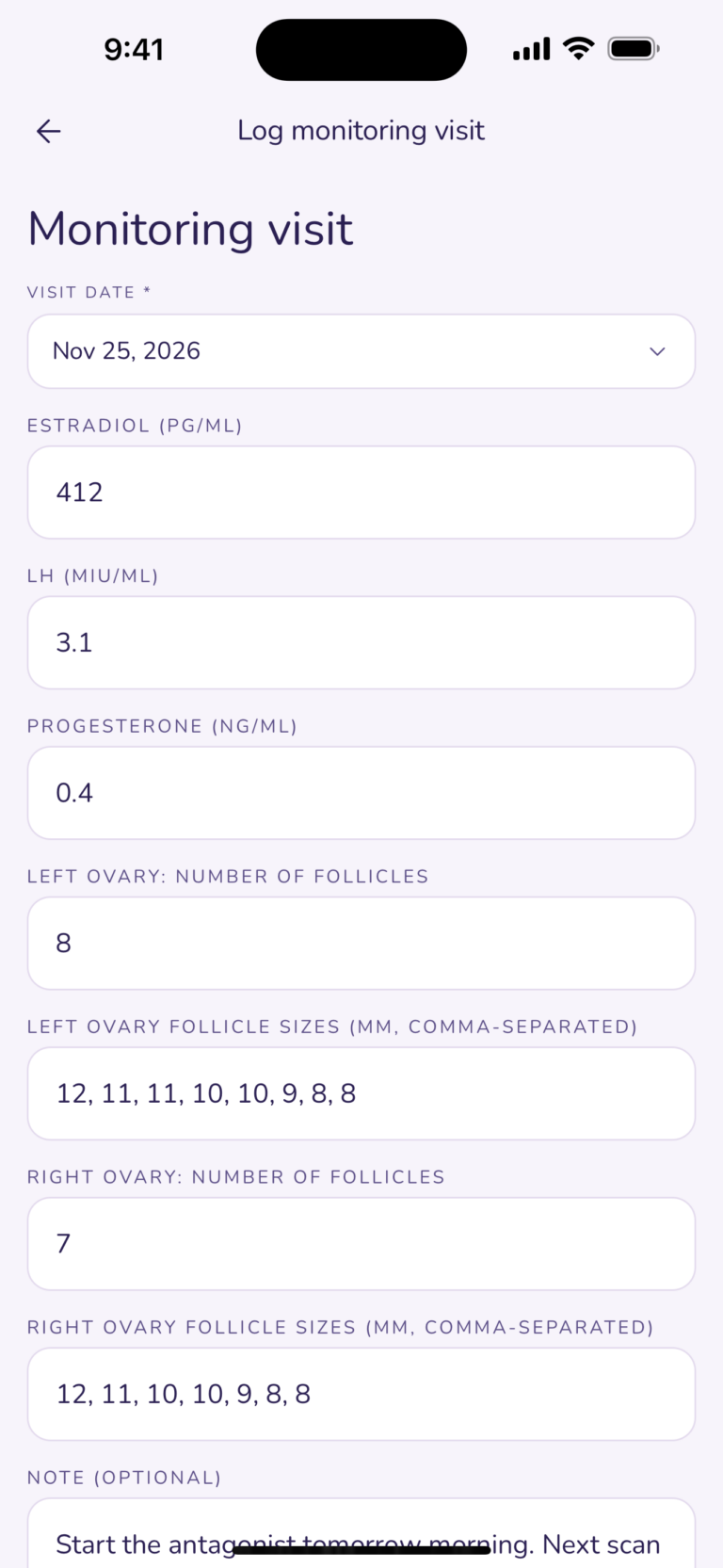
Follicles go in per ovary, as sizes, a count or both
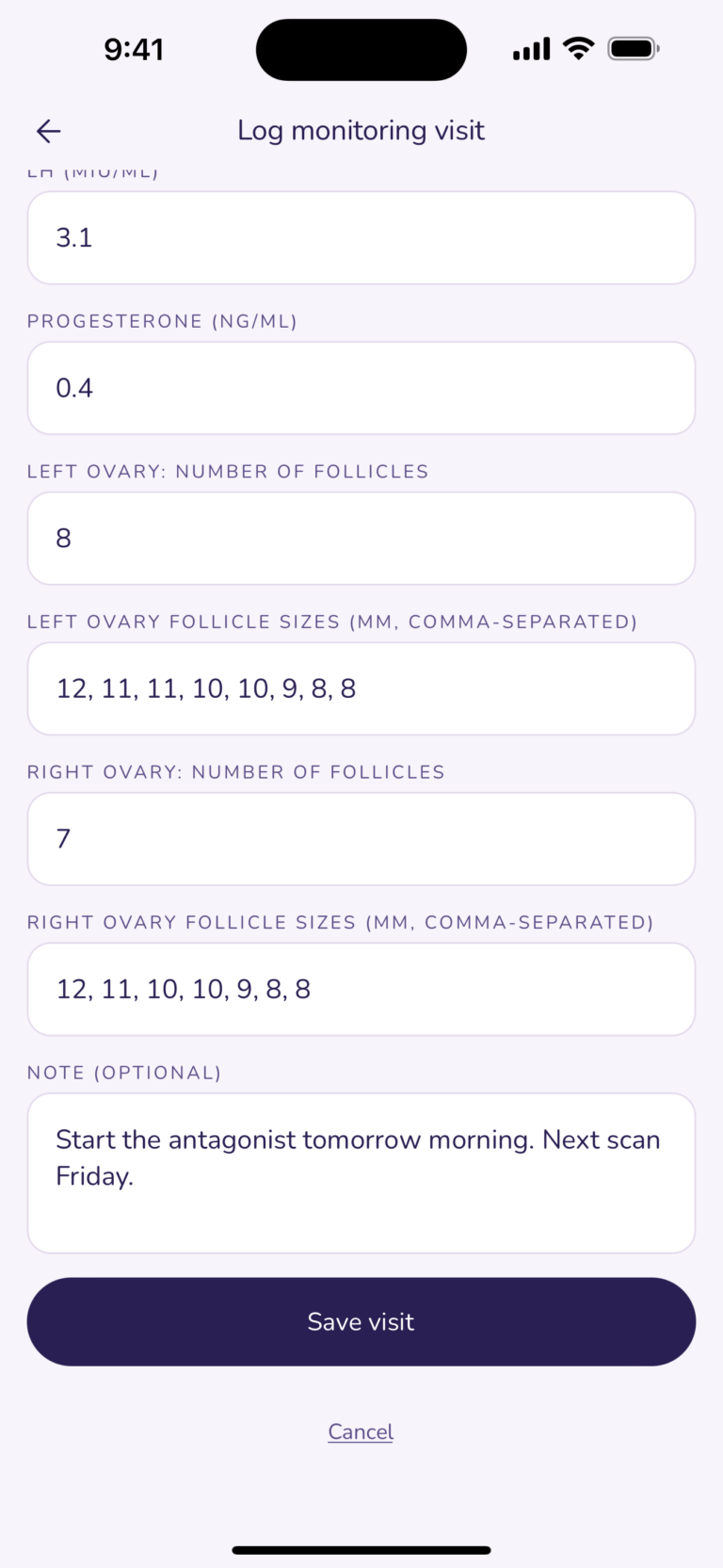
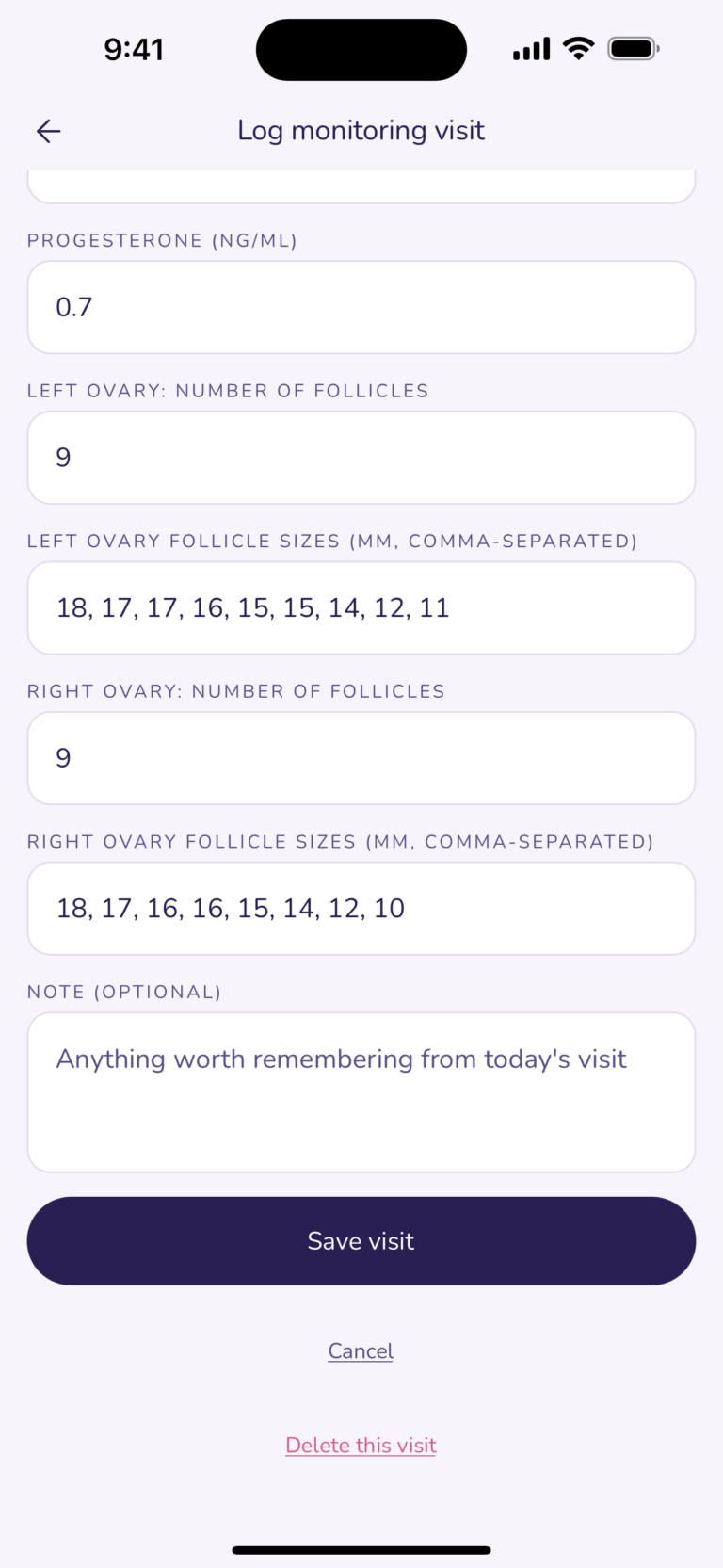
Enter one ovary at a time. Type the follicle sizes in mm the way they were read to you, with a comma between each one: 12, 11, 11, 10, 10, 9, 8, 8. Each number is one follicle. Beside the sizes, you can also enter a count for that ovary.

Clinics vary on what they provide, so juni accepts it three ways. If you are given sizes, enter the sizes and juni will count them. If you are just told “nine on the left”, enter the count and leave the sizes blank. If your clinic counted 9 and measured 8, enter both, and juni will log 9 follicles with 8 of them measured.
Don’t be alarmed if your sizes vary. Not all follicles begin growing at the same time. My guide to IVF follicle size by day covers what the sizes mean.
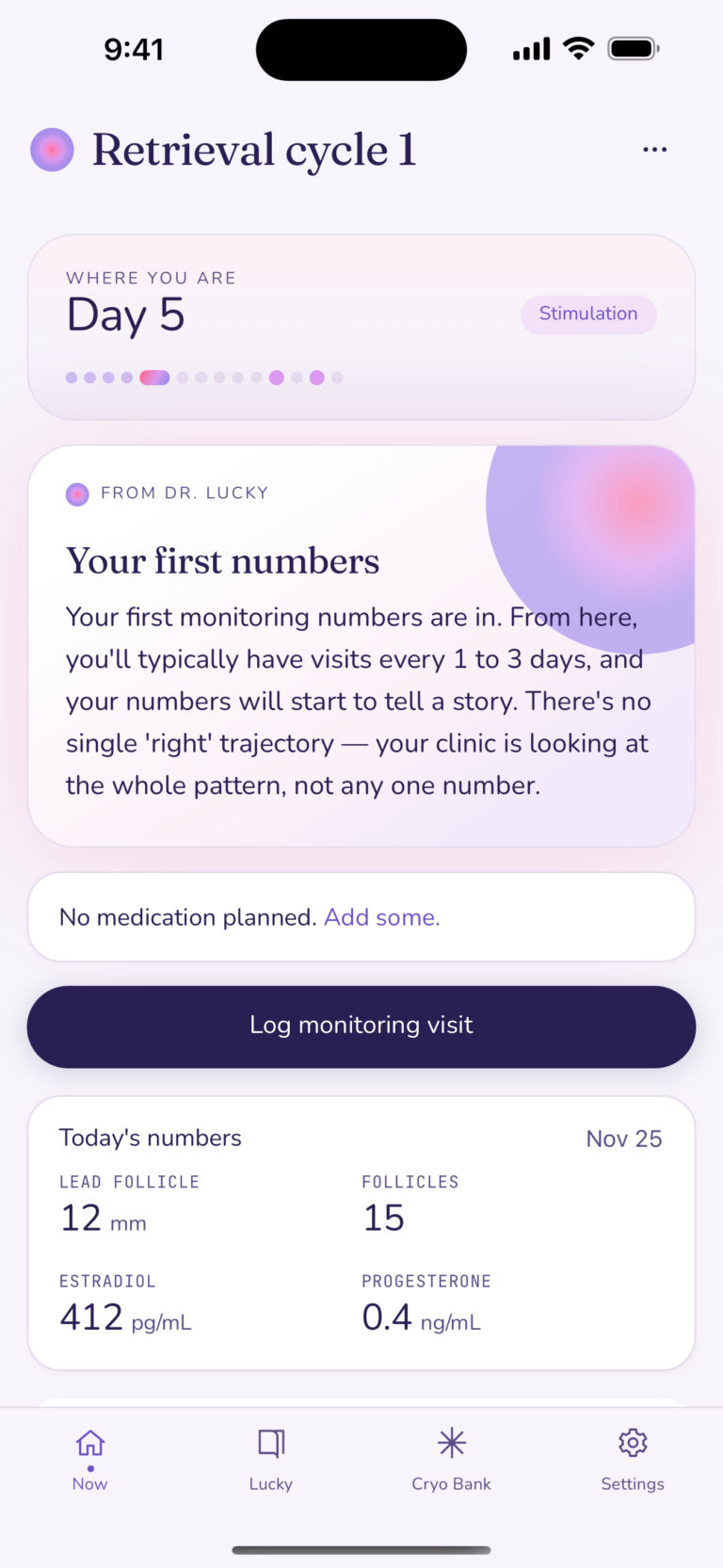
Your latest numbers sit at the top of the screen
Save the visit and the dashboard updates. A card called Today’s numbers shows your most recent visit in 4 tiles: lead follicle (the biggest one measured), total follicles for both ovaries, estradiol and progesterone. If you did not enter one of them, its tile shows a dash.
The charts put every visit side by side
Under that card are two charts. The Follicles chart has one column for each visit, and each dot in the column is one measured follicle, placed according to its size in millimeters. As you go across multiple visits, you see the whole group rise. The Hormones chart shows estradiol, progesterone and LH on the same dates.
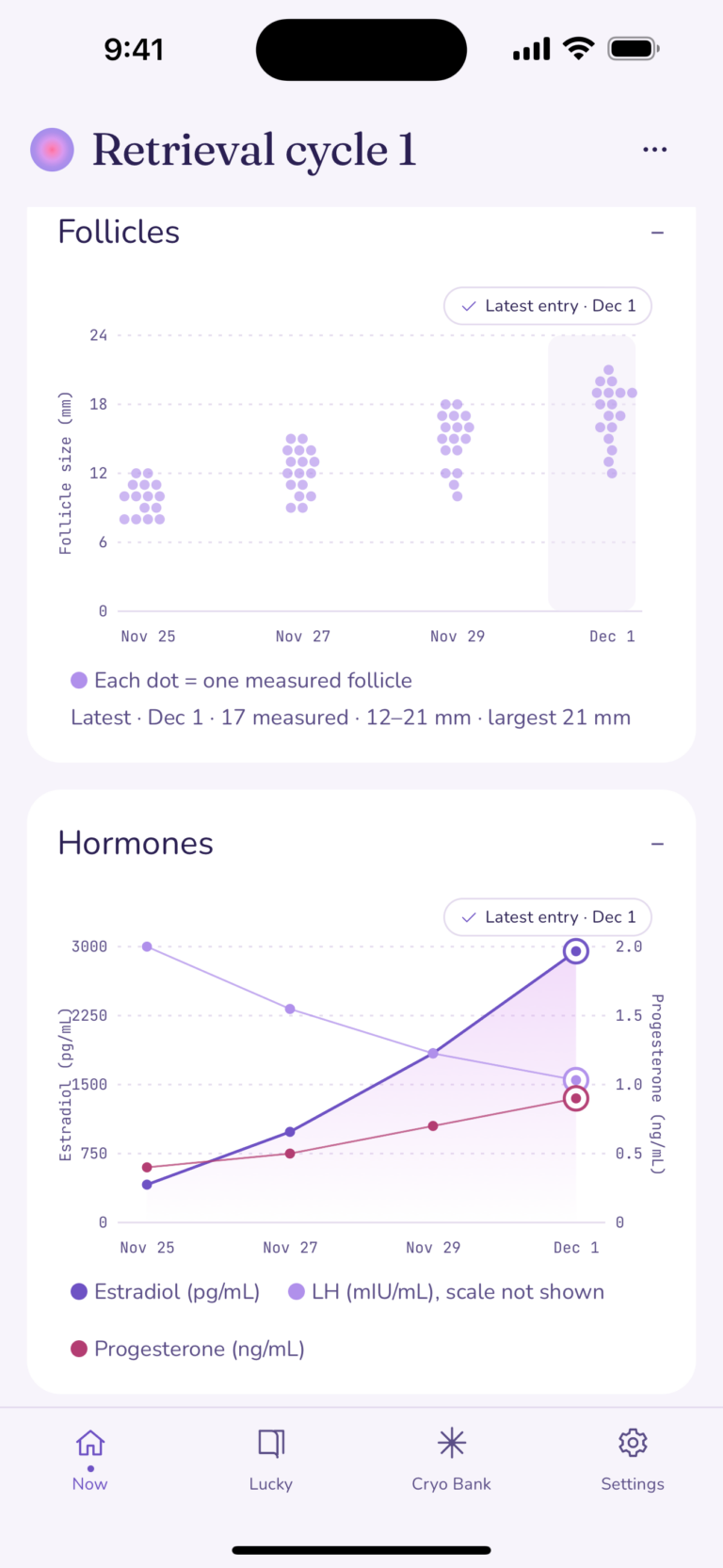
juni only draws the numbers. It does not tell you if a number is where it should be. It does not predict how many eggs you will have, and it does not suggest a trigger date. There is not one right trajectory. Your clinic is looking at the whole pattern and not just one number.
Monitoring history keeps each visit in one line
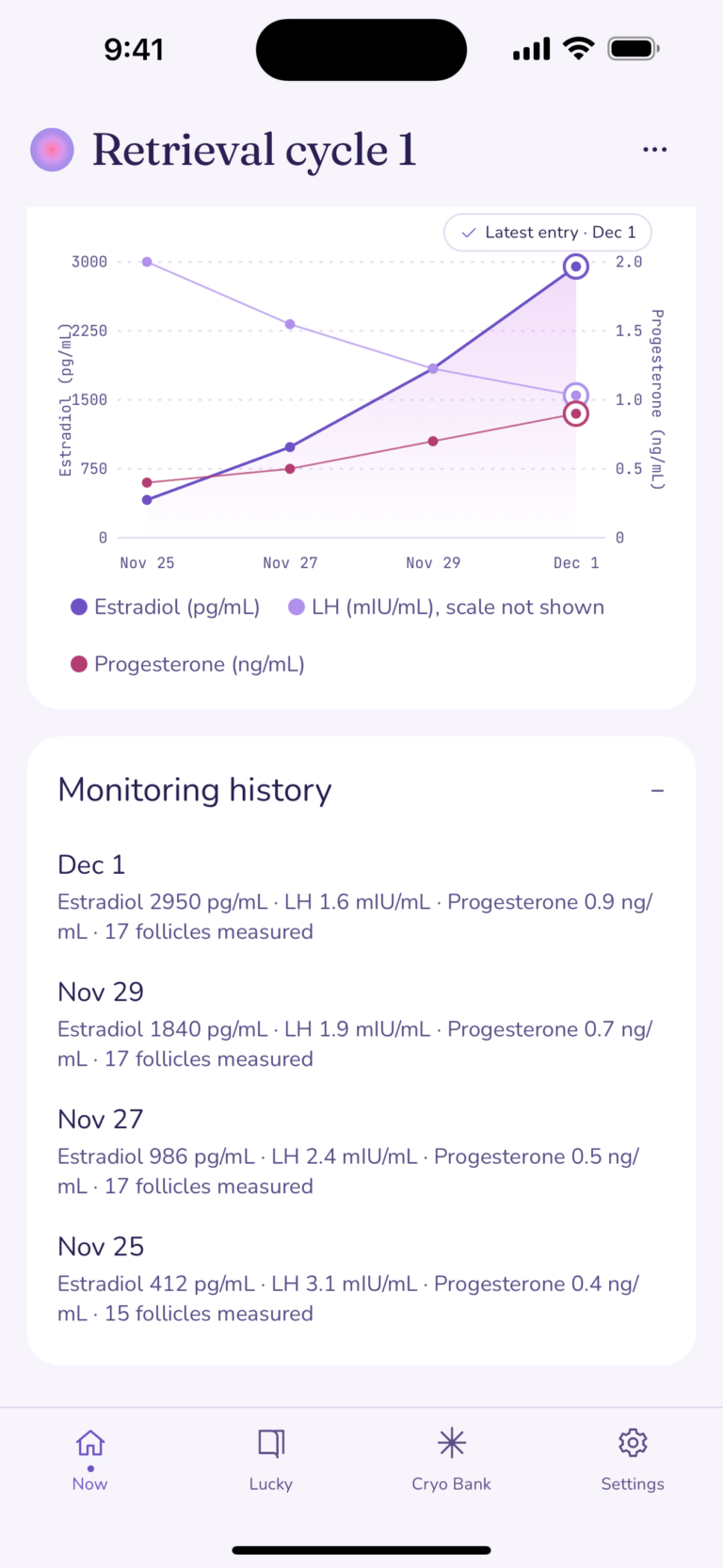
Below the charts is Monitoring history, the written record. When you open it up, you will see a list of all your visits, starting with the most recent. Each visit is one line. For example: Dec 1, Estradiol 2950 pg/mL, LH 1.6 mIU/mL, Progesterone 0.9 ng/mL, 17 follicles measured.
When your clinic revises a number, you can too
Results get corrected. Select a visit from your history, or tap its column on either chart, and you get the same form with all your saved information.
If your clinic revised your estradiol from 1840 to 1870, just change it to 1870 and save. Your dashboard, charts and history all reflect that change. You can also delete a visit from that form.
After the trigger, juni counts down to your retrieval
Your clinic will schedule your trigger shot when your follicles are ready. As a practical goal, we want at least two follicles that are greater than 18 mm, with others close behind that are between 14 and 17 mm. The trigger shot is the most important medication to take on time, as we time your retrieval for about 36 hours after.
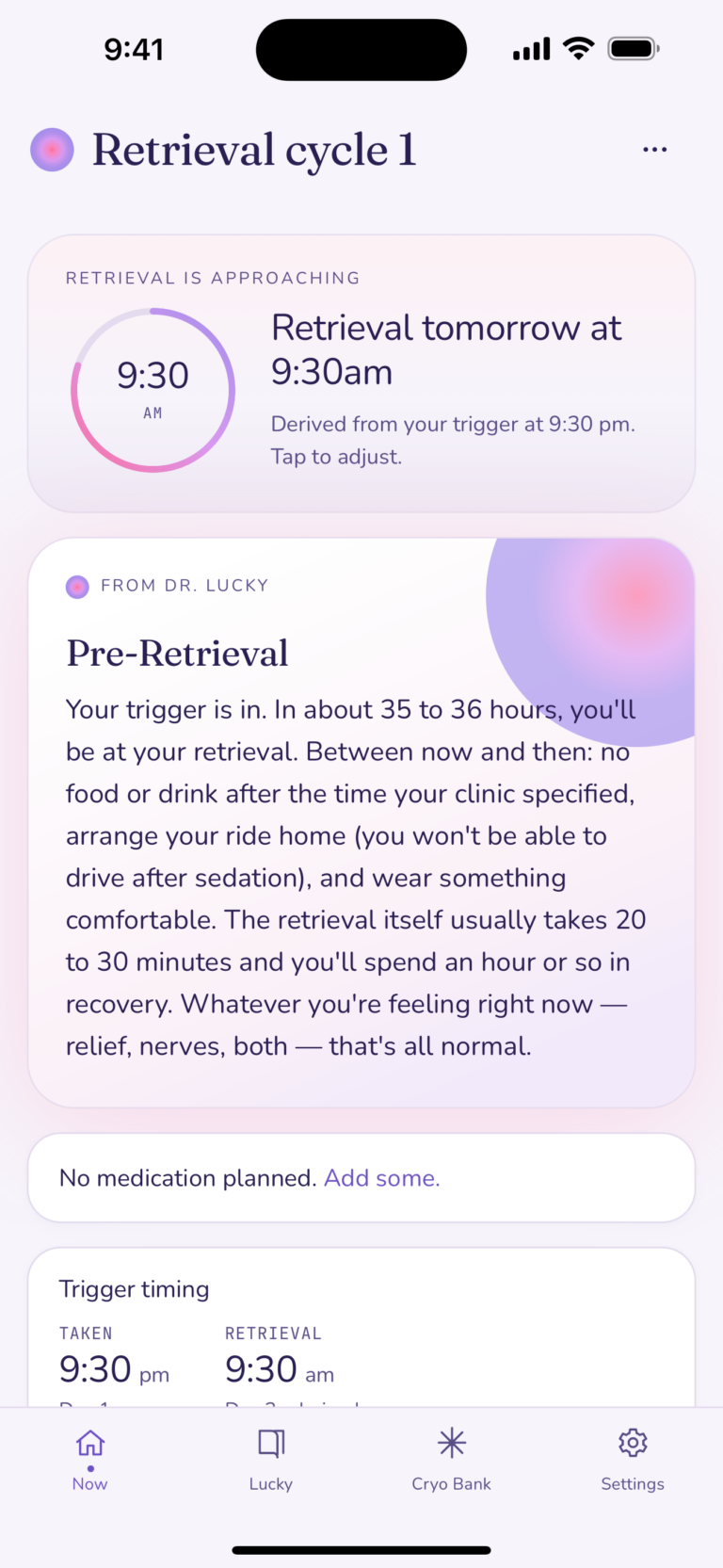
Tap Log trigger shot and put in the time. juni automatically fills in your retrieval time for 36 hours later, and you can change it to the exact time from your clinic. The top of your dashboard then counts down: Retrieval tomorrow at 9:30am. If you log the trigger before you take it, juni will remind you at trigger time. Then it will remind you again at 8 pm the night before your retrieval.
On the day of retrieval, tap I had my retrieval. The same cycle continues into embryo tracking.
Everything stays on your phone
Your monitoring numbers are on your phone only. There is no account and no server copy. Your clinic’s results are still your source of truth.
The Bottom Line
Stims means visiting your clinic every 1 to 3 days, and each time you get a new set of hormone levels and follicle sizes. juni stores the numbers from each visit and plots them side by side for you. It also counts down from your trigger until your retrieval.
To learn more, check out my guide to IVF follicle size by day, IVF stims day by day, how medication tracking works in juni, how embryo tracking works in juni and why I built juni. Or follow me on Instagram @lucky.sekhon.